Logs
How to query Astra, the supported syntax, and using the Astra Grafana app to search logs.
Query syntax
Astra supports the Lucene query syntax, and a full reference can be found in the org.apache.lucene.queryparser.classic Lucene Javadocs. A list of common examples can also be found below.
Fields
service:astraQueryWildcard
service: astra*Range
http_code:[400 to 599]Boolean
AND
http_code:404 AND service:astraQueryOR
service:astraQuery OR service:astraIndexNOT
http_code: 404 AND NOT service:astraQueryExists
_exists_:http_codeFull-text search
Astra enables full-text search via the indexerConfig.luceneConfig.enableFullTextSearch
config option. Enabling this parameter will additionally index all content to an _all field, which then is set as the
default query field when none are specified in the query.
Tip: Full-text search will result in more disk usage, due to the additional field indexing.
Regex support
Astra does not currently support regex (regexp) style queries.
Astra Grafana App
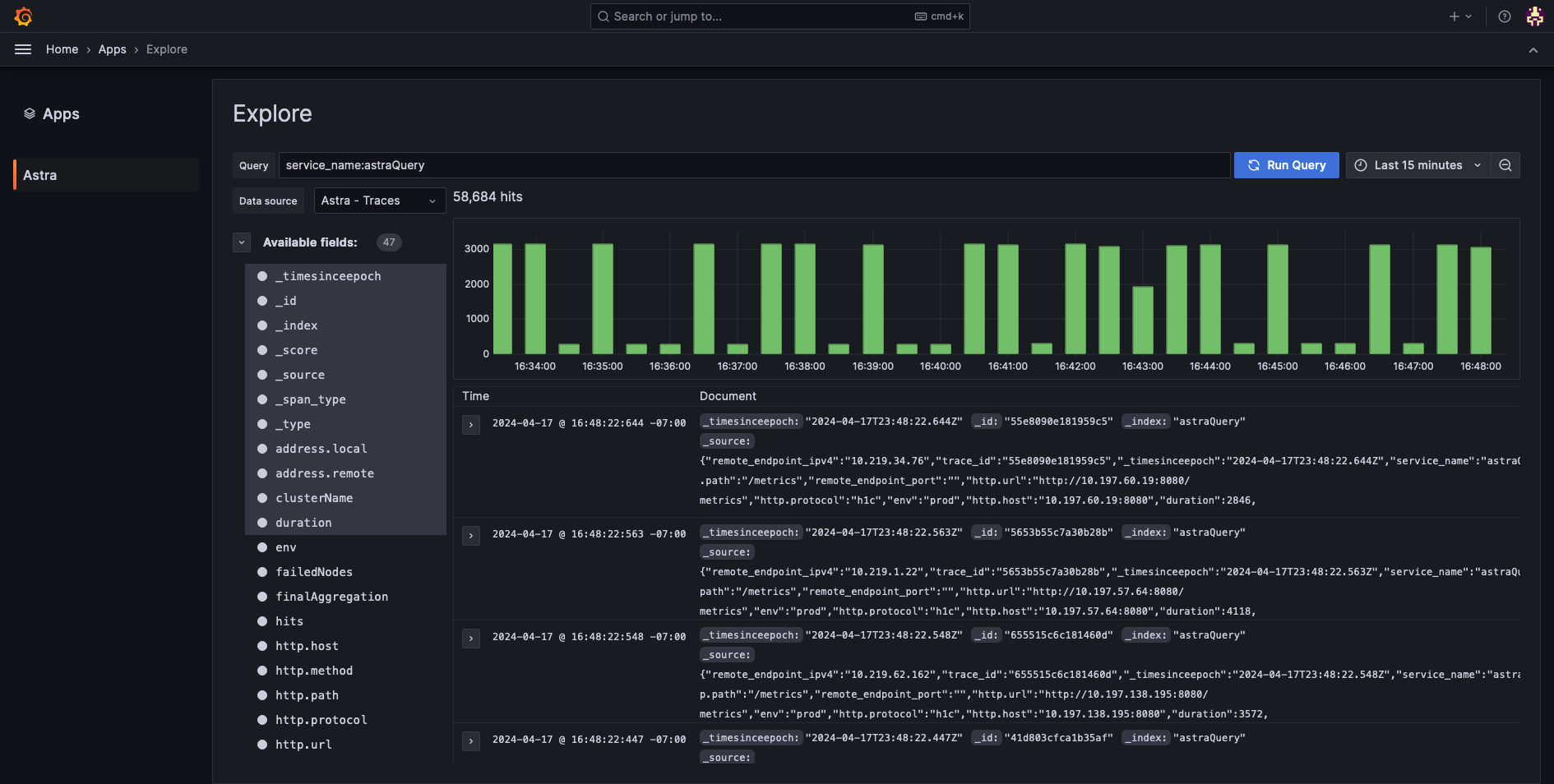 Astra explore UI
A native Grafana plugin is available for Astra from Slack at https://github.com/slackhq/slack-astra-app
Installing the Astra Grafana app
- Download the latest
ziprelease from the Github releases page. - Extract the
zipto your Grafana plugins folder.
Tip: The default location for Grafana plugins is
/var/lib/grafana/plugins/
- Enable unsigned plugins for both included Astra plugins:
slack-astra-app, andslack-astra-app-backend-datasource
Configuration file
Tip: Depending on your OS, your custom configuration file is either the
$WORKING_DIR/conf/custom.inifile or the/usr/local/etc/grafana/grafana.inifile.
<br />
[plugins]
allow_loading_unsigned_plugins = "slack-astra-app,slack-astra-app-backend-datasource"
Environment variable
terminal
export GF_PLUGINS_ALLOW_LOADING_UNSIGNED_PLUGINS="slack-astra-app,slack-astra-app-backend-datasource"
docker-compose
environment:
    GF_PLUGINS_ALLOW_LOADING_UNSIGNED_PLUGINS: "slack-astra-app,slack-astra-app-backend-datasource"
- On starting Grafana, a log warning message should be emitted indicating that it is running the unsigned plugins
WARN[06-01|16:45:59] Running an unsigned plugin pluginID=slack-astra-app
- Navigate your Grafana install to
Administration / Plugins and data / Pluginsto enable the Astra plugin.